メール(Email)
Page summary:
Email 機能は、ローカル SMTP や SendGrid などの外部プロバイダー経由でトランザクションメールを送信します。このページではプロバイダー設定と、コントローラー/フック経由で送信処理を拡張する方法を説明します。
Email 機能を使うと、Strapi アプリからサーバーまたは外部プロバイダー経由でメール送信できます。
設定
Email 機能の設定の多くは Strapi プロジェクトのコード側で行います。管理パネルでは現在の設定、接続状態、プロバイダー機能を読み取り専用で確認でき、テストメール送信も実行できます。
- メールプロバイダーは、Strapi がメール送信時に呼び出すパッケージです(例: 公式の Sendgrid、コミュニティの
@strapi/provider-email-nodemailer)。Strapi から呼ばれたときの送信ロジックを実装します。 - プロバイダーホスト(サーバー)は、プロバイダーが公開する接続情報(SMTP ホスト名、ポート、REST API エンドポイントなど)を指します。API キーだけで隠蔽される場合もあれば、設定でホスト関連オプションの指定が必要な場合もあります。
Email 機能が扱うのは送信のみです。受信や受信メッセージ解析は組み込みプラグインの対象外で、プロバイダーの inbound webhook または独自連携で実装する必要があります。
管理パネル設定
設定の場所: Settings > Email feature > Configuration
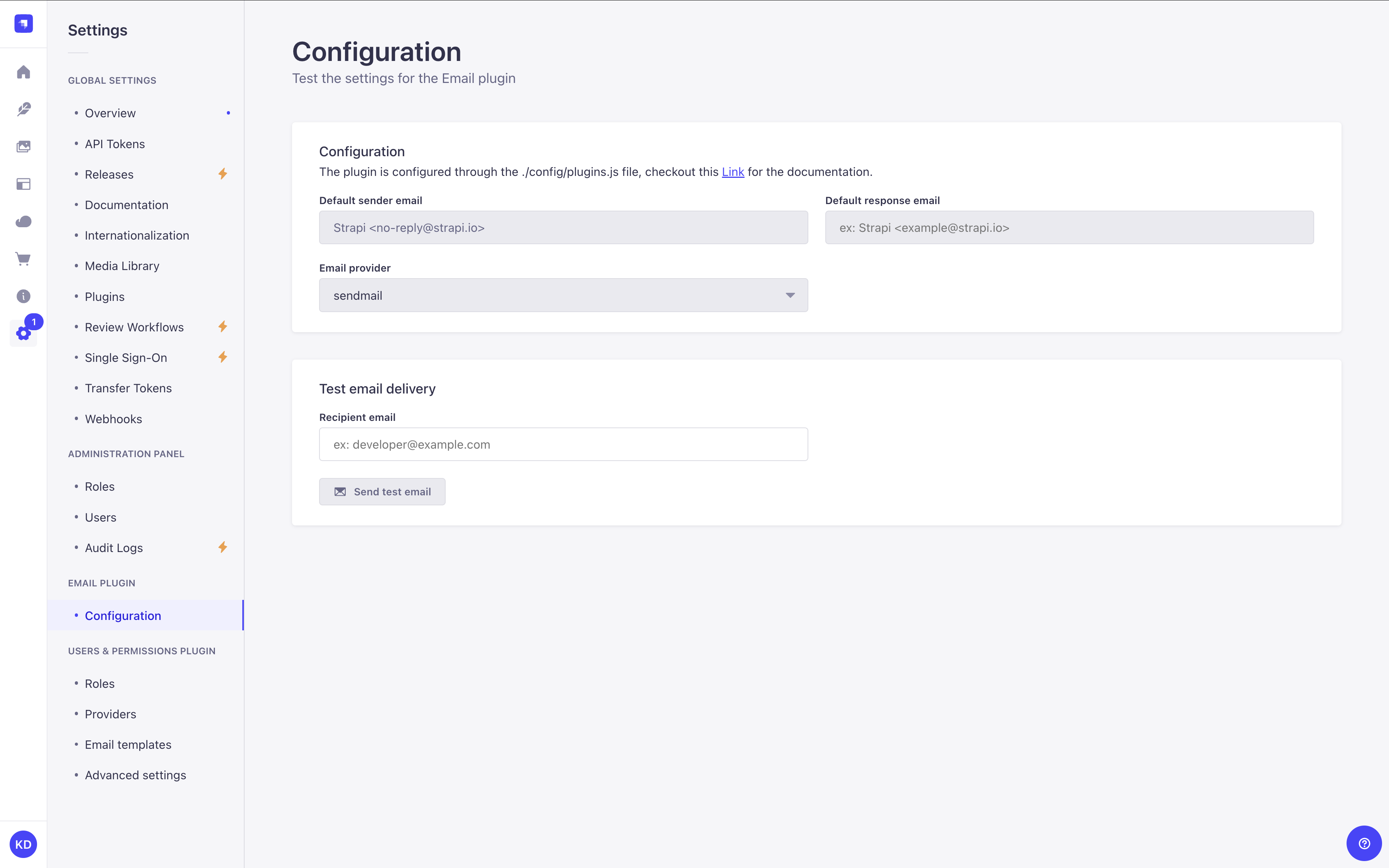
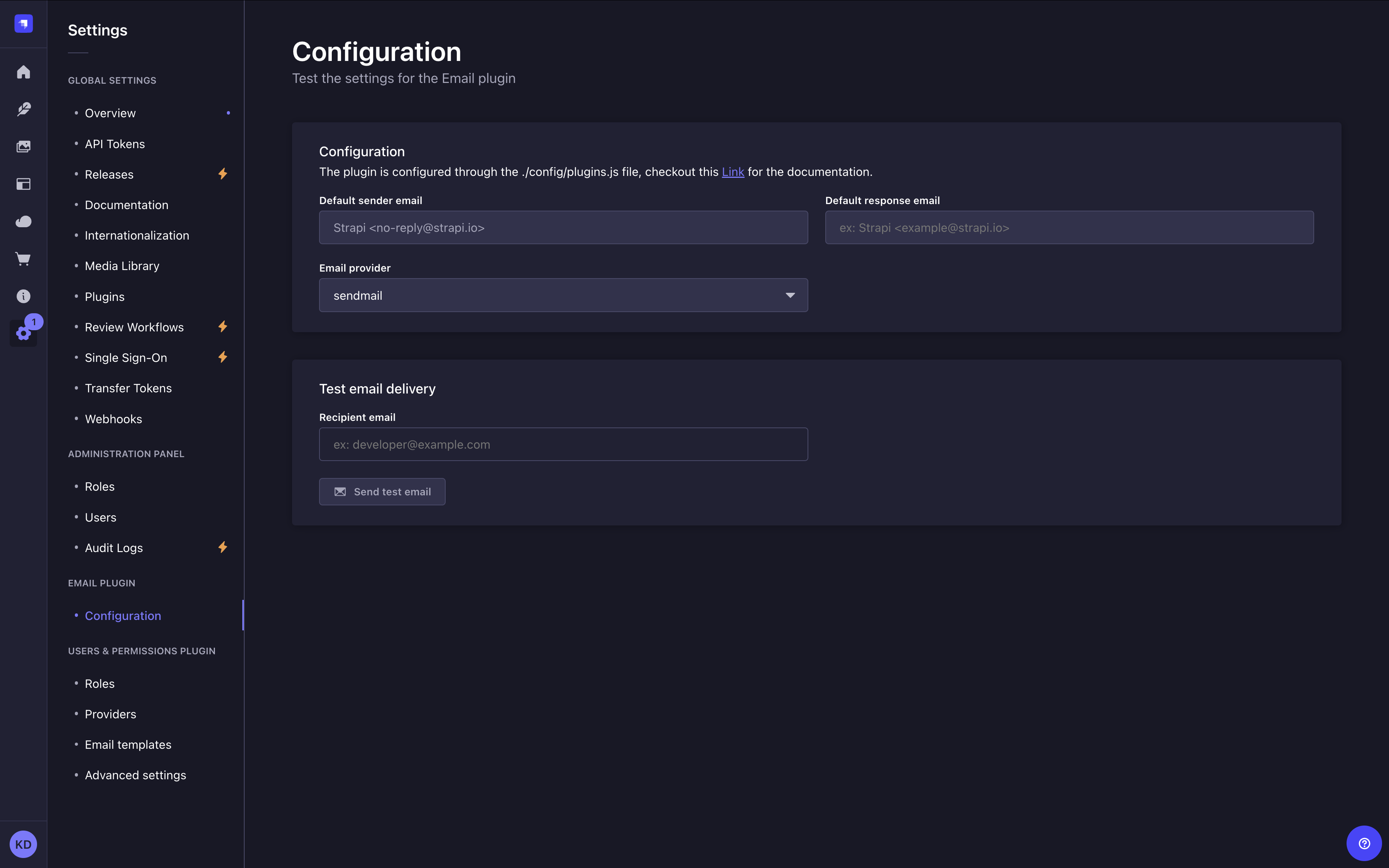
Configuration 画面の大半は読み取り専用です。現在のプロバイダー設定を表示し、接続テストを実行できます。
Configuration パネルには次の情報が表示されます。
- Default sender email と、
defaultFromに表示名が含まれる場合は Default sender name。 - Default response email と、
defaultReplyToに表示名が含まれる場合は Default reply-to name。 - Email provider: 現在使用中のプロバイダー。
有効なプロバイダーが SMTP 接続検証に対応している場合(例: Nodemailer プロバイダー)、Connection status と Test connection ボタンが表示されます。クリックするとメール送信なしで SMTP 接続を検証し、結果に応じて Connected または Error バッジが表示されます。
有効なプロバイダーが SMTP メタデータを公開している場合は、メイン設定の下に Provider capabilities カードが表示されます。SMTP サーバーアドレス、暗号化方式(TLS / STARTTLS / None)、認証種別とユーザー、プール状態(接続プーリング有効時の Idle / Active)、DKIM・OAuth2・レート制限・接続プールなどの有効機能バッジを確認できます。
このページでユーザーが編集できるのは Test email delivery の Recipient email のみです。Send test email でその宛先へテストメールを送信します。
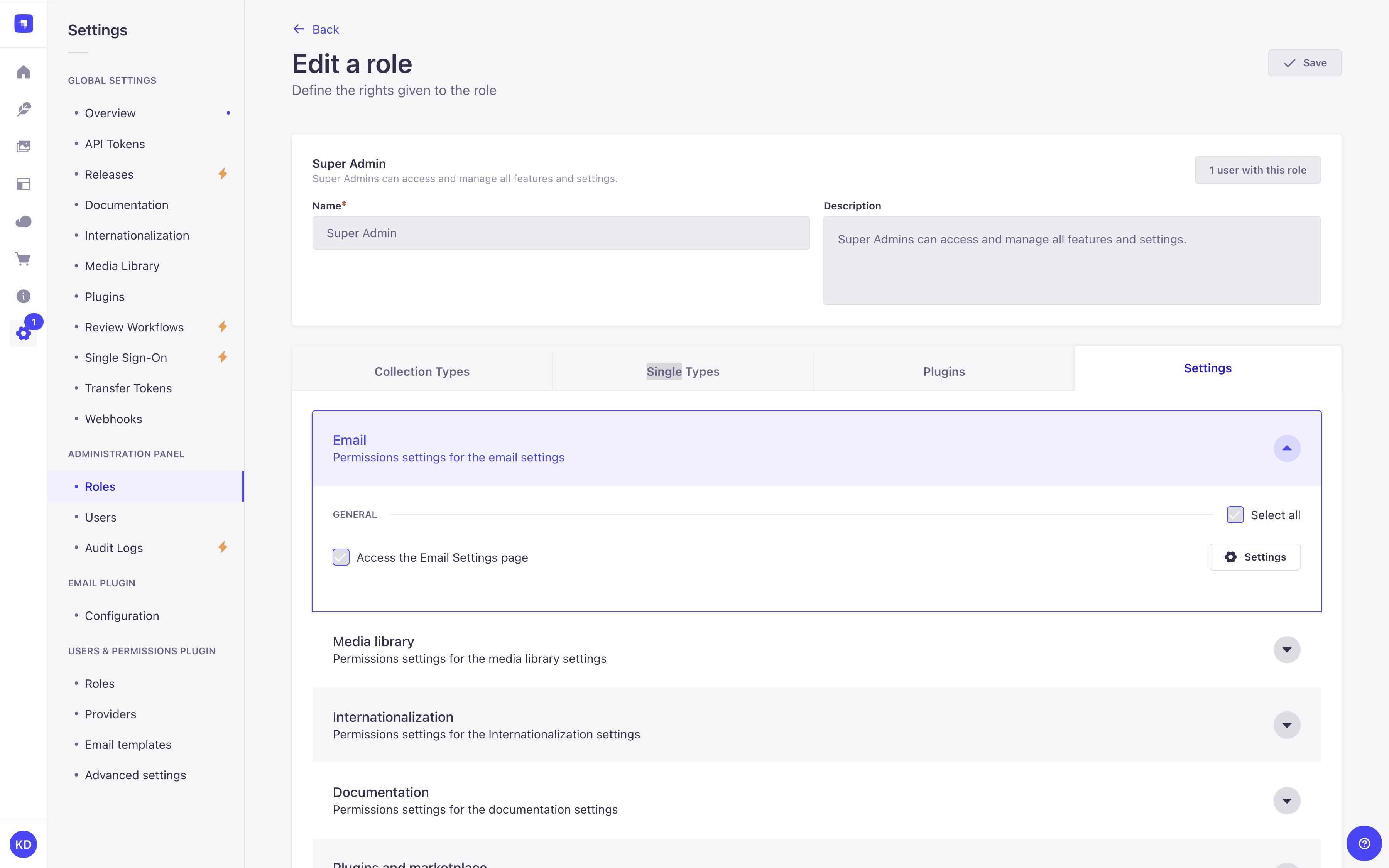
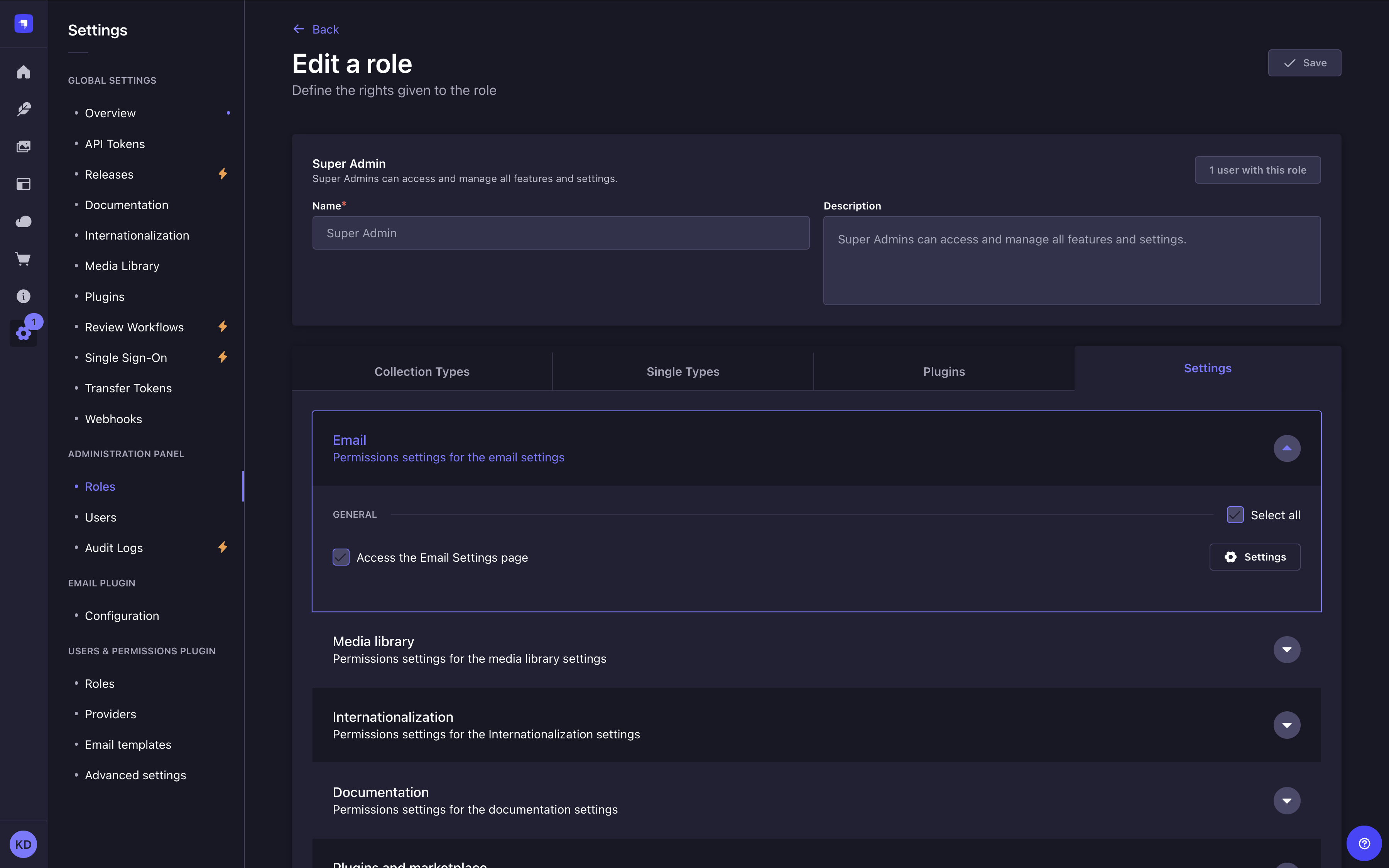
このページは、現在のロールに "Access the Email Settings page" 権限がある場合のみ表示されます(詳細は RBAC を参照)。
コードベース設定
Email 機能には config/plugins.js|ts でプロバイダーとその設定が必要です。導入・設定の詳細は プロバイダー を参照してください。
Sendmail is the default email provider in the Strapi Email feature. It provides functionality for the local development environment but is not production-ready in the default configuration. For production stage applications you need to further configure Sendmail or change providers.
メール設定オプション
プラグイン設定は config/plugins.js または config/plugins.ts で定義します。プロバイダー固有の導入・設定は プロバイダー を参照してください。
| オプション | 型 | 説明 | 既定値 | 備考 |
|---|---|---|---|---|
provider | string | The email provider to use. | sendmail | Required |
providerOptions | object | The email provider options. | {} | オプションal |
providerOptions.apiKey | string | The API key for the email provider. | '' | オプションal |
settings | object | The email settings. | {} | オプションal |
settings.defaultFrom | string | The default email address to use as the sender. | '' | オプションal |
settings.defaultReplyTo | string | The default email address to use as the reply-to address. | '' | オプションal |
ratelimit | object | The email rate limit settings. | {} | オプションal |
ratelimit.enabled | boolean | Whether to enable rate limiting. | true | オプションal |
ratelimit.interval | string | The interval for rate limiting in minutes. | 5 | オプションal |
ratelimit.max | number | The maximum number of requests allowed during the interval. | 5 | オプションal |
ratelimit.delayAfter | number | The number of requests allowed before rate limiting is applied. | 1 | オプションal |
ratelimit.timeWait | number | Time to wait before responding to a request (in milliseconds). | 1 | オプションal |
ratelimit.prefixKey | string | The prefix for the rate limit key. | ${userEmail} | オプションal |
ratelimit.whitelist | array(string) | Array of IP addresses to whitelist from rate limiting. | [] | オプションal |
ratelimit.store | object | Rate limiting storage location and for more information please see the koa2-ratelimit documentation. | MemoryStore | オプションal |
プロバイダー
Email 機能は追加プロバイダーの導入と設定で拡張できます。
プロバイダーによりプラグインの基本機能を拡張できます。例えば Sendmail の代わりに Amazon SES を使うことができます。
There are both official providers maintained by Strapi — discoverable via the Marketplace — and many community maintained providers available via npm.
プロバイダーのインストール
新しいプロバイダーは npm または yarn で @strapi/provider-<plugin>-<provider> --save 形式でインストールします。
例: Sendgrid プロバイダーをインストールする場合
- Yarn
- NPM
yarn add @strapi/provider-email-sendgrid
npm install @strapi/provider-email-sendgrid --save
プロバイダーの設定
Newly installed providers are enabled and configured in the /config/plugins file. If this file does not exist you must create it.
-
Each provider will have different configuration settings available. Review the respective entry for that provider in the Marketplace or npm to learn more.
-
For production scenarios with the Nodemailer provider (OAuth2, connection pooling, DKIM signing, rate limiting), see the dedicated documentation.
以下は Sendgrid プロバイダーの設定例です。
- JavaScript
- TypeScript
module.exports = ({ env }) => ({
  // ...
  email: {
    config: {
      provider: 'sendgrid', // For community providers pass the full package name (e.g. provider: 'strapi-provider-email-mandrill')
      providerOptions: {
        apiKey: env('SENDGRID_API_KEY'),
      },
      settings: {
        defaultFrom: 'juliasedefdjian@strapi.io',
        defaultReplyTo: 'juliasedefdjian@strapi.io',
        testAddress: 'juliasedefdjian@strapi.io',
      },
    },
  },
  // ...
});
export default ({ env }) => ({
  // ...
  email: {
    config: {
      provider: 'sendgrid', // For community providers pass the full package name (e.g. provider: 'strapi-provider-email-mandrill')
      providerOptions: {
        apiKey: env('SENDGRID_API_KEY'),
      },
      settings: {
        defaultFrom: 'juliasedefdjian@strapi.io',
        defaultReplyTo: 'juliasedefdjian@strapi.io',
        testAddress: 'juliasedefdjian@strapi.io',
      },
    },
  },
  // ...
});
- 環境ごとにプロバイダーを切り替える場合は
/config/env/${yourEnvironment}/plugins.js|tsに環境別設定を定義します(環境設定 参照)。 - 同時に有効なのは 1 つのメールプロバイダーのみです。設定が反映されない場合は
plugins.js|tsの配置先を確認してください。 - Strapi セットアップ時に作成される 2 つのメールテンプレートで新プロバイダーを試す場合、テンプレートの shipper email は既定で
no-reply@strapi.ioです。プロバイダーに合わせて更新しないとテスト送信に失敗します(テンプレート設定 参照)。 - 到達率を高めるには、プロバイダー側で SPF / DKIM を設定し、
defaultFromのドメインを検証済みドメインに合わせてください。
環境別設定
プロバイダー設定では、NODE_ENV に応じて設定を切り替えたり、環境ごとの資格情報を使い分けたりすることがあります。
/config/env/{env}/plugins.js|ts に環境別設定を書くと、既定設定を上書きできます。
一部プロバイダーは API キーの代わりに(または併用で)SMTP 形式の接続情報を要求します。Strapi がプロバイダーホストへ接続できるよう providerOptions に設定してください。例えばコミュニティ版 Nodemailer では host、port、認証情報が必要です。
- JavaScript
- TypeScript
module.exports = ({ env }) => ({
  email: {
    config: {
      provider: 'nodemailer',
      providerOptions: {
        host: env('SMTP_HOST'),
        port: env.int('SMTP_PORT', 587),
        secure: false, // Use `true` for port 465
        auth: {
          user: env('SMTP_USERNAME'),
          pass: env('SMTP_PASSWORD'),
        },
      },
      settings: {
        defaultFrom: 'no-reply@example.com',
        defaultReplyTo: 'support@example.com',
      },
    },
  },
});
export default ({ env }) => ({
  email: {
    config: {
      provider: 'nodemailer',
      providerOptions: {
        host: env('SMTP_HOST'),
        port: 587,
        secure: false, // Use `true` for port 465
        auth: {
          user: env('SMTP_USERNAME'),
          pass: env('SMTP_PASSWORD'),
        },
      },
      settings: {
        defaultFrom: 'no-reply@example.com',
        defaultReplyTo: 'support@example.com',
      },
    },
  },
});
プロバイダーが host / port の代わりに単一 URL を提供する場合は、パッケージが期待するキー名で providerOptions にその URL(例: https://api.eu.mailgun.net)を渡します。
カスタムプロバイダーの作成
独自プロバイダーを作成し npm 公開またはローカル利用する手順は次を参照してください。
使い方
Email 機能は Strapi のグローバル API を使うため、アプリ内のどこからでも呼び出せます。バックエンドの コントローラー/サービス 経由でも、管理パネルでのイベント応答(ライフサイクルフック)でも利用できます。
コントローラー/サービスでメール送信する
The Email feature has an email service that contains 2 functions to send emails:
send()はメール内容を直接指定して送るsendTemplatedEmail()は Content Manager のデータでテンプレートを埋め、プログラムからの送信を簡素化する
send() 関数を使う
To trigger an email in response to a user action add the send() function to a controller or service. The send function has the following properties:
| プロパティ | 型 | 説明 |
|---|---|---|
from | string (email address) | Sender address. If not specified, uses defaultFrom from plugins.js. |
to | string (email address) | Recipient address. Required. |
cc | string (email address) | Carbon copy recipients. Optional. |
bcc | string (email address) | Blind carbon copy recipients. Optional. |
replyTo | string (email address) | Reply-to address. If not specified, uses defaultReplyTo from plugins.js. |
subject | string | Email subject. Required. |
text | string | Plain-text body. Either text or html is required. |
html | string | HTML body. Either text or html is required. |
attachments | object[] | Array of attachment objects. |
headers | object | Custom SMTP headers, for example { 'X-Custom-Header': 'value' }. |
priority | 'high' | 'normal' | 'low' | Email priority flag. |
inReplyTo | string | Message-ID of the email being replied to. Used for conversation threading. |
references | string | string[] | Message-ID list this email references. Used for conversation threading. |
envelope | object | Custom SMTP envelope with from and to fields. Useful for bounce handling. |
list | object | RFC 2369 List-* headers. Enables one-click unsubscribe in Gmail and Outlook for newsletters. |
icalEvent | object | Calendar event invitation in iCalendar format. Attach with { method, content }. |
dsn | object | Delivery Status Notification settings. Requests bounce or delivery confirmation reports. |
The Nodemailer provider uses an explicit allowlist for all send() fields. Unknown properties are silently dropped. For the complete list of supported fields — including dkim, amp, raw, auth (per-message OAuth2), and others — see the provider README on npm.
次のコード例をコントローラーまたはサービスで利用できます。
await strapi.plugins['email'].services.email.send({
  to: 'valid email address',
  from: 'your verified email address', //e.g. single sender verification in SendGrid
  cc: 'valid email address',
  bcc: 'valid email address',
  replyTo: 'valid email address',
  subject: 'The Strapi Email feature worked successfully',
  text: 'Hello world!',
  html: 'Hello world!',
}),
sendTemplatedEmail() 関数を使う
sendTemplatedEmail() はテンプレートからメールを組み立てて送信する関数です。指定したプロパティから本文をコンパイルして送信します。
利用時は emailTemplate オブジェクトを定義し、コントローラーまたはサービスに関数を追加します。emailTemplate を必須で使い、emailOptions と data は任意で渡せます。
| パラメーター | 説明 | 型 | Default |
|---|---|---|---|
emailOptions Optional | Contains email addressing properties: to, from, replyTo, cc, and bcc | object | |
emailTemplate | Contains email content properties: subject, text, and html using Lodash string templates | object | |
data Optional | Contains the data used to compile the templates | object |
次のコード例をコントローラーまたはサービスで利用できます。
const emailTemplate = {
  subject: 'Welcome <%= user.firstname %>',
  text: `Welcome to mywebsite.fr!
    Your account is now linked with: <%= user.email %>.`,
  html: `<h1>Welcome to mywebsite.fr!</h1>
    <p>Your account is now linked with: <%= user.email %>.<p>`,
};

await strapi.plugins['email'].services.email.sendTemplatedEmail(
  {
    to: user.email,
    // from: is not specified, the defaultFrom is used.
  },
    emailTemplate,
  {
    user: _.pick(user, ['username', 'email', 'firstname', 'lastname']),
  }
);
ライフサイクルフックからメール送信する
管理パネルでの管理者操作をトリガーに送信するには、ライフサイクルフック と send() 関数 を使います。
次の例は、Content Manager で新規エントリーが作成されるたびに afterCreate でメール送信する方法です。
- JavaScript
- TypeScript
module.exports = {
    async afterCreate(event) {    // Connected to "Save" button in admin panel
        const { result } = event;

        try{
            await strapi.plugin('email').service('email').send({ // you could also do: await strapi.service('plugin:email.email').send({
              to: 'valid email address',
              from: 'your verified email address', // e.g. single sender verification in SendGrid
              cc: 'valid email address',
              bcc: 'valid email address',
              replyTo: 'valid email address',
              subject: 'The Strapi Email feature worked successfully',
              text: '${fieldName}', // Replace with a valid field ID
              html: 'Hello world!',

            })
        } catch(err) {
            console.log(err);
        }
    }
}
export default {
  async afterCreate(event) {    // Connected to "Save" button in admin panel
    const { result } = event;

    try{
      await strapi.plugins['email'].services.email.send({
        to: 'valid email address',
        from: 'your verified email address', // e.g. single sender verification in SendGrid
        cc: 'valid email address',
        bcc: 'valid email address',
        replyTo: 'valid email address',
        subject: 'The Strapi Email feature worked successfully',
        text: '${fieldName}', // Replace with a valid field ID
        html: 'Hello world!',
      })
    } catch(err) {
      console.log(err);
    }
  }
}